-
- March 30, 2026
If you are running campaigns for programs or products on a regular basis you might find your self hunting through dozens of emails or website pages for a sales link to a product or program you need to change.
This new feature allows you to create a link in your Training Tilt account, use it one time in all of your emails, website pages and advertising and never need to change it.
Instead you can have it automatically expire and redirect elsewhere (eg a waitlist page or a different product)
You can also use this for other types of links that may change over time but you don't want the hassle have having to find it and change it everywhere. e.g if you have a regular live call that is using Zoom and then you change to Google Meet instead. You can simply just update the link inside your Training Tilt account and the link you shared with everyone will automatically get redirected to the new meeting link.
More info in the video from Cam below.
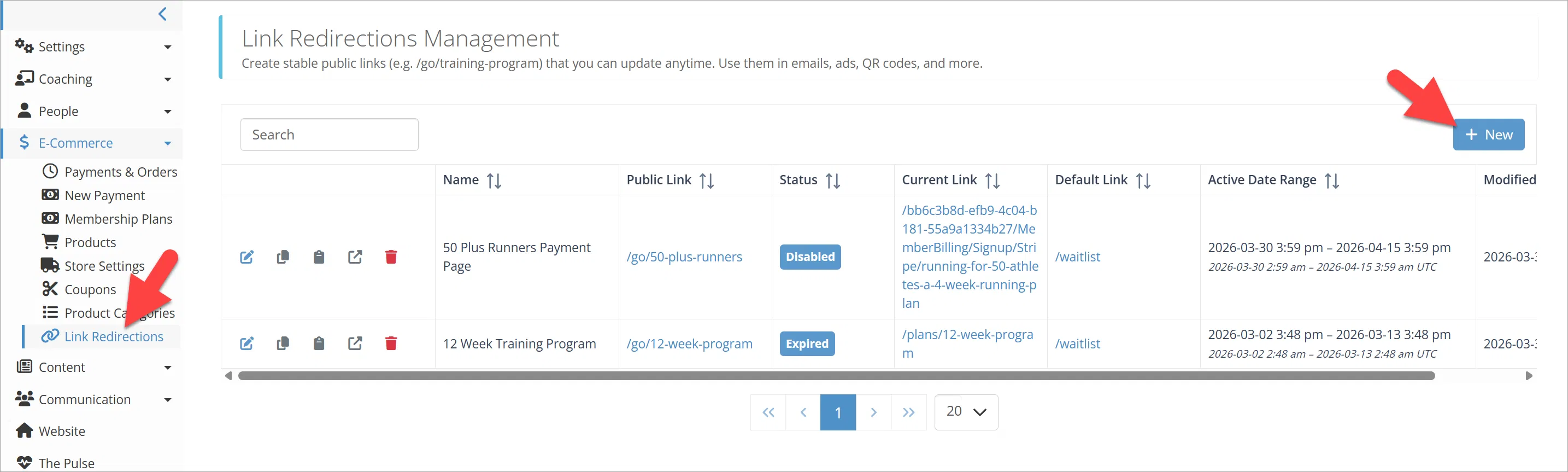
To create a new link go to Link Redirections from the E-commerce menu, and add a new link.
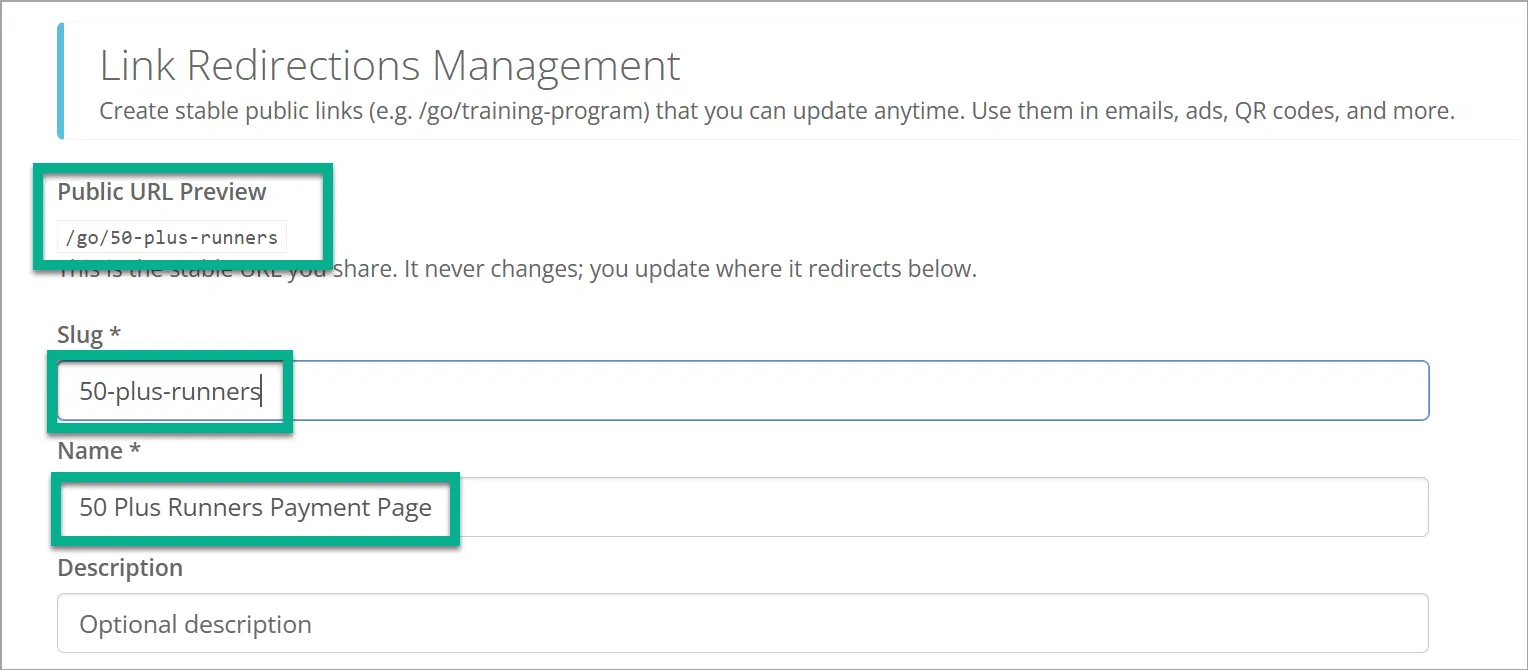
Type the link you want. This is the link you will share, not the page people will end up landing on. Also give it a meaningful name and an optional description. As you type the link it will automatically show the preview of the link in the public URL preview section.
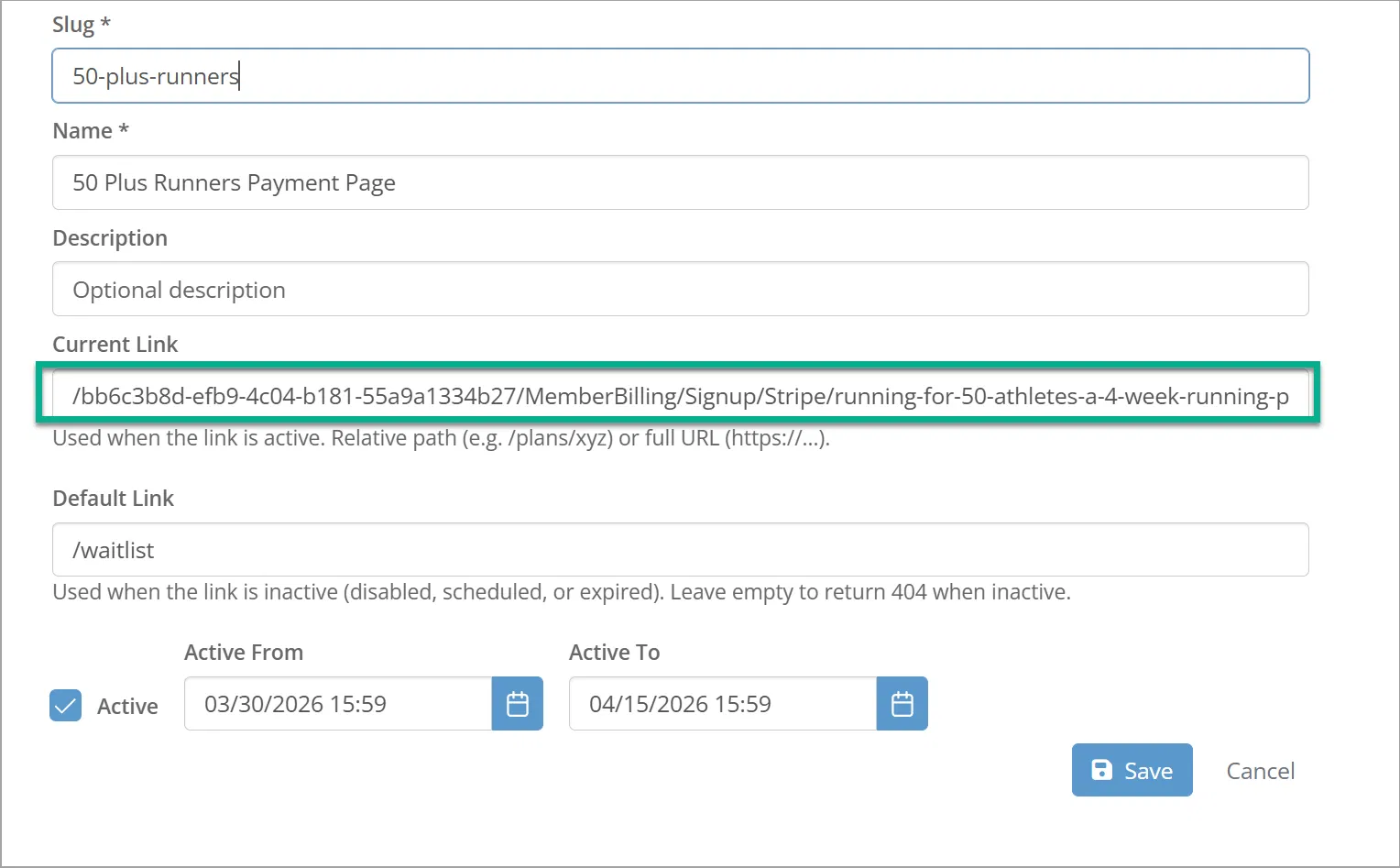
Now paste in where you want the link to actually go while it is active this is the "Current Link". This will be your payment page, your landing page or your meeting link etc.
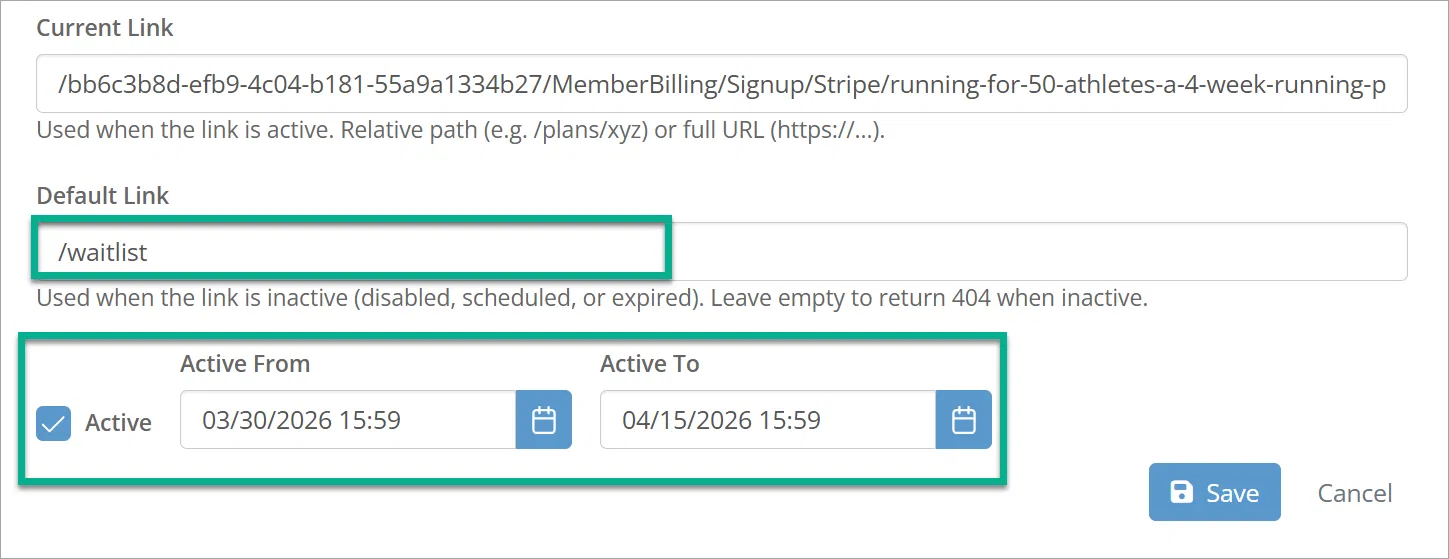
Now you can type in an optional "Default Link" this is where the link will redirect to when the link is no longer active. If you don't enter a default link then the link will just redirect to a 404 not found when it expires or is set inactive. In the example our default link is a waitlist page, so when our program closes we can still capture potential customers details.
You can also optionally set up a date range, or manually disable the link.

Cam Langsford
Enthusiastic age group triathlete, software architect and founder of health and fitness community platform "Training Tilt".
Take our Free "Authentic" Marketing Course for Coaches
Designed for endurance sport coaches. Marketing doesn't need to be pushy. The best marketing simply creates a win-win relationship between you and your customers. Take the simple 6 part course to learn more.